Why Free Background Removers Wreck Product Image Resolution (And How to Beat Google Shopping's Jan 2027 Disapproval Cliff)
Free background removers and tight 85% frame-fill crops quietly shrink 12MP product photos into 400px to 600px files with jagged alpha halos. With Google Merchant Center enforcing a strict 500x500 minimum on January 31, 2027 and recommending 1500x1500, here is how to restore 4K studio edges.
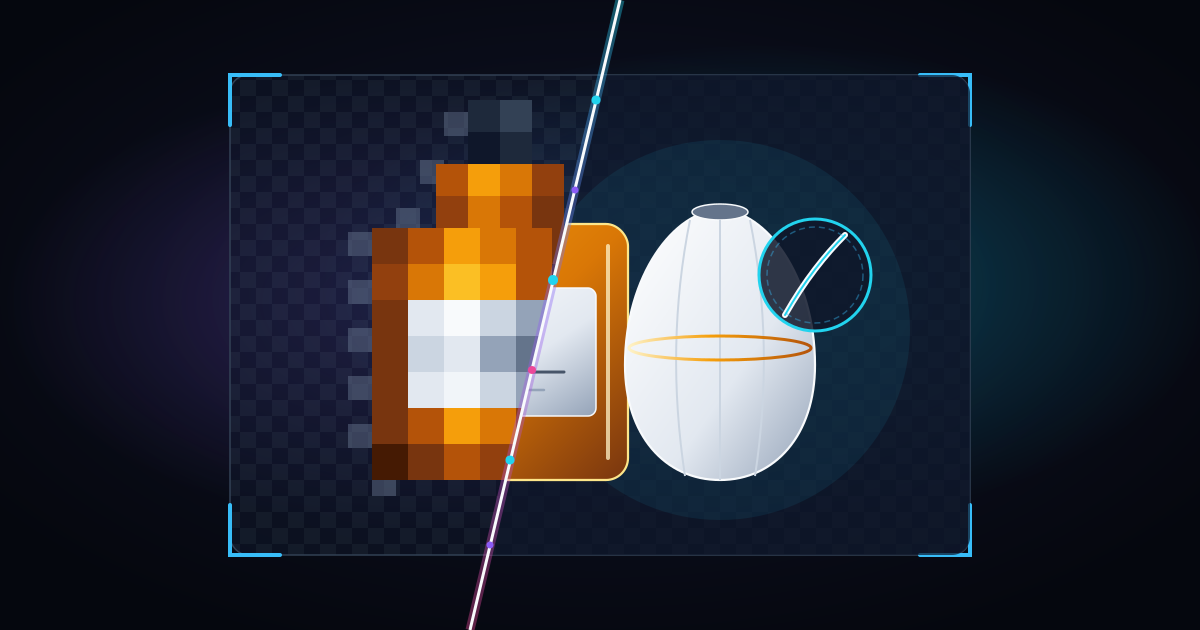
You take a crisp 12-megapixel product photo on an iPhone or mirrorless camera, run it through a free online background remover to put the item on a pure white canvas, and crop it tightly so the product fills the frame. On your laptop screen, the preview thumbnail looks fine.
Then the warnings start showing up in Google Merchant Center, Amazon Seller Central, and your Shopify storefront. Your zoom lightbox looks soft, curved edges around glass bottles and sneakers show gray stair-stepped halos, and Google flags your feed with an orange warning: `Image too small for upcoming enforcement`.
Right now, thousands of e-commerce merchants are discovering that their background removal and cropping workflow has been quietly throwing away 85% to 95% of their pixel resolution. Worse, a hard compliance deadline is right around the corner. Starting January 31, 2027, Google Merchant Center is enforcing a strict 500 x 500 pixel minimum on both sides for every main and additional product image across all categories, while recommending 1,500 x 1,500 pixels or above (SudoMock Google Merchant Center 2027 Specification Analysis). Here is the exact math behind why background removers and tight crops destroy your resolution, why naive resizing gets flagged, and how to rebuild true 4K cutouts in seconds.
What changes on January 31, 2027 in Google Merchant Center
For years, Google Shopping let merchants submit tiny legacy thumbnails: as small as 100 x 100 pixels for non-apparel items and 250 x 250 pixels for apparel. That grace period ends on January 31, 2027.
According to Google's updated product data specification documented in the Google Merchant Center 2027 Image Requirements Guide, every merchant feed must clear these exact thresholds:
- Hard minimum from January 31, 2027: Every image submitted in the primary `image_link` and secondary `additional_image_link` attributes must measure at least 500 x 500 pixels across all product categories and marketing methods.
- Lifestyle image minimum (active now): Images submitted via `lifestyle_image_link` must measure at least 600 x 600 pixels with an aspect ratio between `2:0` and `2:3`.
- Both dimensions must clear the floor: The pixel rule applies to both width and height. A wide product cutout measuring 2,000 x 450 pixels still fails the 500 x 500 requirement because the shorter vertical side is only 450 pixels.
- Recommended resolution for full ad eligibility: Google officially recommends providing images at 1,500 x 1,500 pixels or above (up to a ceiling of 64 megapixels or 16 MB per file) with the product filling 75% to 90% of the frame.
- Strict ban on naive stretching: Google's product data specification explicitly instructs merchants: "Don't scale up an image or submit a thumbnail." Stretching a 350 x 350 pixel file to 1,500 x 1,500 pixels using standard bicubic interpolation in a photo editor leaves blurry edges that automated quality checks and human shoppers spot immediately.
How free background removers and framing crops destroy your pixel count
Most store owners assume that if they start with a 12-megapixel smartphone photo (`4,032 x 3,024 pixels`), their final product image is also high resolution. In practice, three common editing steps strip away almost all of those pixels before the file ever reaches Shopify, WooCommerce, or Google Merchant Center.
1. The 0.25-megapixel free background remover trap
Almost every browser-based background removal tool offers a free "Preview" or "Standard" download button right next to a paid HD button. What the download button rarely highlights is that the free export caps total resolution at 0.25 megapixels.
When you feed a `4,000 x 3,000 pixel` (`12 MP`) photo into a 0.25 MP free background remover, the tool downscales your cutout to roughly 577 x 433 pixels or 612 x 408 pixels (`612 x 408 = 249,696 pixels`).
Look closely at those dimensions: `612 x 408 pixels`. Because the shorter side is 408 pixels, that free background-remover export will be automatically disapproved by Google Merchant Center on January 31, 2027, fails Amazon's 1,000-pixel zoom minimum (and 1,600-pixel optimal zoom standard), and falls more than 75% short of Shopify's 2,048 x 2,048 pixel Retina gallery benchmark.
2. The 75% to 90% frame-fill crop math
Even if you remove the background locally on your device without a 0.25 MP cap, cropping your photo to meet marketplace framing rules destroys resolution faster than most merchants realize.
Both Google Shopping (which asks for the product to fill 75% to 90% of the frame) and Amazon (which requires the product to fill at least 85% of the main image canvas) penalize photos where a small item sits in the middle of a huge empty background.
Suppose you photograph a wristwatch, cosmetic dropper bottle, or pair of earrings on a studio table using a `2,000 x 2,000 pixel` (`4.0 MP`) camera setting. To avoid lens barrel distortion, you hold the camera back slightly so the product occupies 30% of the width and 30% of the height of the frame.
When you crop that image tightly so the product fills 85% of the frame, you do not lose 70% of your pixels. Because image area scales quadratically (`width x height`), keeping 30% of the horizontal pixels and 30% of the vertical pixels means you keep only 9% of the total pixels (`0.30 x 0.30 = 0.09`). Your `2,000 x 2,000 pixel` photo instantly collapses into a 600 x 600 pixel crop (`0.36 megapixels`).
As documented in Google web.dev's guide to high-resolution screens, doubling or tripling the Device Pixel Ratio (DPR) on modern Retina displays multiplies the required physical pixel count by 4x on 2x screens and 9x on 3x mobile screens. When a 600 x 600 pixel crop is rendered inside a 700-pixel CSS gallery on a 2x or 3x screen, the browser has to stretch the raster grid, producing visibly blurry labels and fuzzy product contours.
3. Alpha-channel matting halos and premultiplied white fringes
Resolution is only half the problem with background-removed cutouts. The other half happens right along the outer 2-pixel boundary of your product.
As explained in the MDN Web Docs Image File Type and Format Guide, PNG, WebP, and AVIF support an 8-bit alpha channel (`RGBA`), where each pixel stores red, green, blue, and an opacity value from `0` (fully transparent) to `255` (fully opaque). JPEG, by contrast, does not support an alpha channel at all.
When a background remover cuts out a product at low resolution (such as 500px or 800px), curved edges like glass bottles, sneaker soles, and fabric sleeves are represented by a coarse staircase of semi-transparent edge pixels (`alpha = 80` to `180`) that still contain color spill from the original room background (for example, a dark wooden desk or gray shadow).
When you flatten that low-resolution PNG onto a pure `#FFFFFF` white canvas or convert it to JPEG, those contaminated semi-transparent edge pixels become permanently baked in as a dirty gray halo or jagged staircase around your product. And if you upload an unpadded rectangular cutout to Shopify and rely on the `image_url` filter's `pad_color` parameter or automatic WebP/AVIF conversion, those rough low-resolution cutout edges become painfully obvious the moment a customer clicks zoom.
Why low-resolution cutouts cost you sales long before ad disapproval
Fixing small, haloed product cutouts is not just about keeping your Google Merchant Center account clean. It directly determines whether paid traffic converts once shoppers land on your product page.
In Baymard Institute's usability benchmark across e-commerce product pages, researchers found that 56% of users' very first action upon arriving on a product details page is to immediately inspect the product images. Yet 25% of e-commerce sites fail to provide sufficient image resolution or zoom depth (14% serve visibly low-resolution photos, and 11% provide insufficient zoom).
Baymard's user sessions highlight a specific failure mode that hits cropped and background-removed catalogs hardest: shoppers click or pinch to zoom so they can read fine packaging text (such as SPF ratings, supplement ingredients, or sizing stamps) or inspect material build quality (such as stitching, metal clasps, or leather grain), and the zoomed view gets closer without repixelating. When shoppers encounter grainy, low-resolution images on two or more products, they extend that distrust to the entire store and abandon their cart.
On the technical performance side, Chrome Lighthouse's `uses-responsive-images` specification compares the rendered CSS dimensions of every image (multiplied by the device pixel ratio) against the actual intrinsic dimensions of the file. Serving properly sized responsive derivatives from a clean, high-resolution master keeps your page fast while giving high-DPI screens every pixel they need.
The right order of operations: crop and cut out first, then AI-upscale to 4K
Most merchants get poor results because they upscale in the wrong order, or they use traditional image resizers that cannot reconstruct edge geometry.
As Google web.dev's raster format engineering guide points out, raster images encode data on a fixed pixel grid, so scaling them up with standard browser or photo-editor interpolation always produces jagged, blurry graphics. That is why Google Merchant Center tells sellers not to simply scale up a thumbnail.
A purpose-built e-commerce super-resolution model works differently. Instead of averaging neighboring pixels, ProductImageUpscale AI analyzes the semantic structure of the product: smoothing out stair-stepped cutout boundaries, stripping away 8x8 JPEG macroblock noise, and synthesizing crisp high-frequency micro-detail across glass reflections, typography, fabric weave, and brushed metal.
Here is the four-step workflow to turn any cropped photo or low-resolution cutout into a compliant, zoom-ready 4K master before the January 31, 2027 deadline.
Step 1: Audit your catalog for the 500px floor and the 1,500px target
Do not check only the width of your product images. Check the shorter side (`min(width, height)`) of every file in your feed:
- Below 500px on either side (`image_link` or `additional_image_link`): Immediate priority. These items will be disapproved in Google Merchant Center starting January 31, 2027.
- Below 600px on either side (`lifestyle_image_link`): Already below Google's current minimum for lifestyle placements.
- Between 500px and 1,499px: Passes the bare minimum floor, but falls short of Google's 1,500 x 1,500 pixel recommendation, Amazon's 1,600-pixel optimal zoom standard, and Shopify's 2,048 x 2,048 pixel Retina zoom benchmark.
Step 2: Run your cropped cutouts through ProductImageUpscale AI (2x, 4x, or 8x)
Take a 500 x 500 pixel free background-remover cutout or a 600 x 600 pixel cropped variant photo and drop it into the interactive comparison slider on the ProductImageUpscale AI homepage, or create a free account to receive 5 free monthly credits (no credit card required).
Choose the scale multiplier that brings your shorter side comfortably above 1,500px to 2,048px+:
- 4x AI Upscale (Most Popular for Cutouts & Crops): Turns a `500 x 500 px` or `600 x 600 px` cutout into a razor-sharp 2,000 x 2,000 px to 2,400 x 2,400 px master. It simultaneously clears Google's `1,500 x 1,500 px` recommendation, Amazon's `1,600px` zoom rule, and Shopify's `2,048px` gallery standard while cleaning up jagged cutout edges.
- 2x AI Upscale: Upgrades `1,000 x 1,000 px` or `1,080 x 1,080 px` Canva and design exports to 2,000 x 2,000 px to 2,160 x 2,160 px.
- 8x Extreme Upscale: Rescues legacy `250 x 250 px` or `300 x 300 px` apparel and supplier thumbnails directly to 2,000 x 2,000 px to 2,400 x 2,400 px so you never have to reshoot discontinued or archival inventory.
Step 3: Frame to 75% to 90% and export in clean WebP, PNG, or sRGB JPEG
Once your product cutout is upscaled to `2,000 x 2,000 pixels` or `4,000 x 4,000 pixels`, verify that the product occupies 75% to 90% of the canvas with a clean margin around the edges (since Google tests subtle automated cropping on Shopping cards).
According to the MDN Image Format Guide, lossy WebP files are 25% to 35% smaller than equivalent JPEGs, and lossless WebP files are 26% smaller than PNGs while preserving full 8-bit alpha transparency. Both Shopify and Google Merchant Center natively accept high-resolution JPEG, PNG, and WebP files up to 16 MB.
Step 4: Bulk-sync to Shopify/WooCommerce and use new filenames for a 3-day Google re-crawl
Here is a critical operational detail from the Google Merchant Center 2027 Specification Analysis that saves weeks of waiting:
- If you overwrite an image at the exact same URL: Google can take up to 6 weeks to re-crawl and clear the warning on your listing.
- If you publish the upscaled image with a new filename and URL: Google triggers a fresh crawl within 3 days.
- 1-Click Shopify & WooCommerce Integrations: Connect your store directly inside the dashboard, pull undersized product and variant photos, upscale them to 4K resolution, and push them back as fresh media assets (which automatically assigns a new CDN filename and version URL in Shopify and WooCommerce, triggering Google's 3-day fast crawl).
- Batch Queue & Client-Side ZIP Export: Drag and drop dozens or hundreds of supplier cutouts at once, process them in parallel, and click Download Selected as ZIP.
- Predictable, high-ROI pricing: After testing with your 5 free monthly credits, upgrade to the $9/month Starter plan (200 monthly credits, under $0.05 per 4K image) for smaller catalogs, or the $19/month Pro plan (2,000 monthly credits, or $14/month billed annually, under $0.01 per 4K image) to make your entire store compliant in a single afternoon.
Frequently Asked Questions
What happens on January 31, 2027 if my Google Shopping product images are smaller than 500 x 500 pixels?
Starting January 31, 2027, Google Merchant Center enforces a mandatory minimum resolution of 500 x 500 pixels across all product categories for both `image_link` and `additional_image_link` attributes (SudoMock Google Merchant Center 2027 Guide). Products with images smaller than 500 pixels on either the width or height will fail compliance and stop appearing in Google Shopping ads and free listings until replaced with a compliant file (with 1,500 x 1,500 pixels or above recommended for optimal performance).Why do free background removers make my product photos blurry?
Most free online background removal tools cap free downloads at 0.25 megapixels (roughly `500 x 500` or `612 x 408 pixels`), discarding over 95% of the pixels from a standard 12 MP smartphone photo. Additionally, low-resolution alpha masks leave coarse, semi-transparent edge pixels that turn into jagged staircases and gray halos when flattened onto a white background.Can I just resize a 350 x 350 pixel image to 1,500 x 1,500 pixels in Photoshop for Google Merchant Center?
No. Google's product data specification explicitly states: "Don't scale up an image or submit a thumbnail." Standard bicubic resizing stretches existing pixels and compression blocks without adding real detail, which triggers automated image-quality warnings and hurts conversion rates. Instead, use an e-commerce AI super-resolution model like ProductImageUpscale AI to reconstruct clean edges, readable packaging typography, and true surface texture at 1,500px to 4,000px.How do I make Google Merchant Center recognize my newly upscaled product images in 3 days instead of 6 weeks?
According to Google Merchant Center's image processing guidelines documented in the 2027 Merchant Center Image Specification Guide, replacing an image file while keeping the exact same URL can take up to 6 weeks to be re-crawled. Uploading the upscaled image with a new filename and URL (which happens automatically when you push an enhanced image back to your store via ProductImageUpscale AI's Shopify or WooCommerce integration) triggers a fresh Google crawl within 3 days.References
- SudoMock: Google Merchant Center Image Requirements (500 x 500 From 2027 and Renders That Meet It): Detailed breakdown of Google Merchant Center's April 14, 2026 announcement and January 31, 2027 enforcement raising the minimum resolution to 500 x 500 pixels on both sides across all categories, the 600 x 600 lifestyle floor, the 1,500 x 1,500 recommended resolution, and the 3-day vs. 6-week image re-crawl URL rule.
- Baymard Institute: Ensure Sufficient Image Resolution and Zoom: Large-scale e-commerce usability research demonstrating that 56% of shoppers inspect product images immediately upon landing on a product page, while 25% of e-commerce sites fail to provide sufficient resolution or zoom level.
- Google web.dev: Choose the Right Image Format: Web performance engineering guide explaining CSS pixels versus device pixels, why 2x and 3x high-DPI screens require 4x to 9x more total pixels, and why scaling up raster images causes jagged and blurry visuals.
- MDN Web Docs: Image File Type and Format Guide: Official browser media reference detailing 8-bit and 16-bit RGBA alpha transparency in PNG, WebP, and AVIF, why JPEG lacks an alpha channel, and how WebP achieves 25% to 35% smaller file sizes than JPEG and 26% smaller lossless sizes than PNG.
- Shopify Dev Docs: Liquid filters `image_url`: Official technical reference for Shopify's CDN image URL filter, covering `pad_color` hexadecimal background padding, `crop` modes, automatic WebP and AVIF format negotiation, and the rule that images are never resized larger than their original uploaded dimensions.
- Chrome for Developers: Properly Size Images (`uses-responsive-images`): Official Lighthouse performance audit documentation explaining how browsers compare rendered CSS dimensions (accounting for Device Pixel Ratio) against actual image dimensions to optimize image delivery.
Ready to try it yourself?
Upscale your first product image free. No credit card required.
Get Started Free